
日本時間早朝のみに取引を行う単ポジ型朝スキャEA[Halcyon Blizzard]

①パラメータはマジックナンバーとロットのみの変更で大丈夫です。
②現バージョンではデフォルトのパラメータ設定で月末月初、月曜、経済指標時はエントリー制御フィルターを加えています!
③通貨ごとにマジックナンバーは必ず変えて設置してください。
④3/9~3/29の間 HFMで回すときのみ下記パラメータへ変更お願いします。
エントリータイム 23→22
強制決済時間 3→2
決済除外時間 0→23
Single position type morning scan EA that trades only in the early morning of Japan time 複数通貨対応(開発:2025年)
[Used time frame] 1 hour time frame
[Recommended lot for margin]
→証拠金10万円に対し、
XAUUSD 0.05ロット
EURCAD 0.05ロット
CHFJPY 0.05ロット
GBPJPY 0.03ロット
EURJPY 0.03ロット
↑これらは10万円でこれらの5通貨、そのロットを設置で問題ないという意味になります。
XS,Axi,HFMIt is distributed free of charge at.
[Halcyon Blizzard] 推奨通貨ペア (5)
・XAUUSD
・EURCAD
・CHFJPY
・GBPJPY
・EURJPY
Backtest List
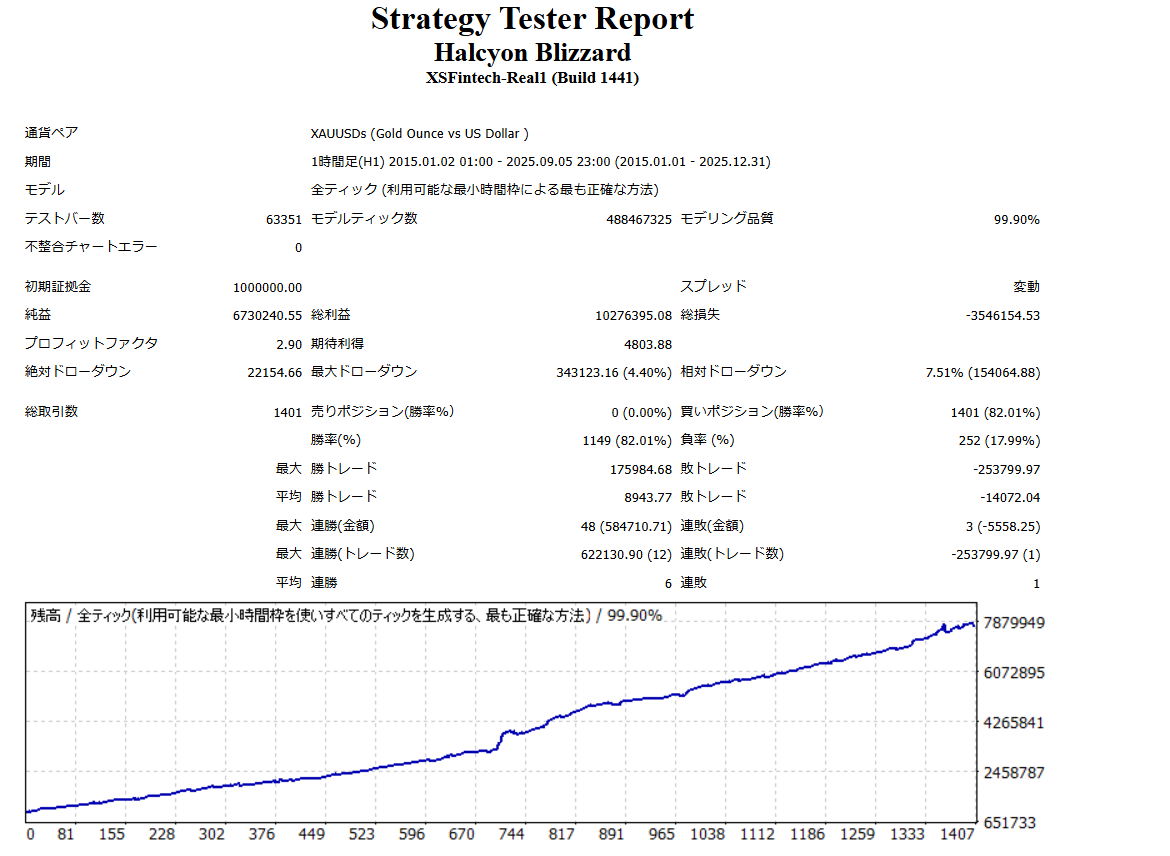
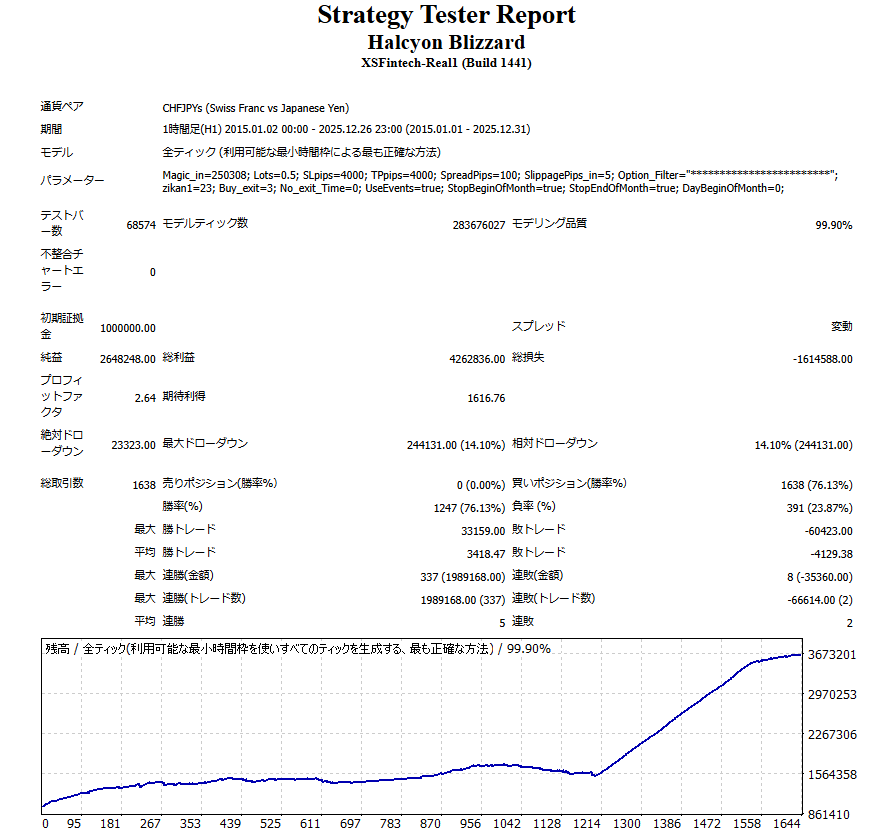
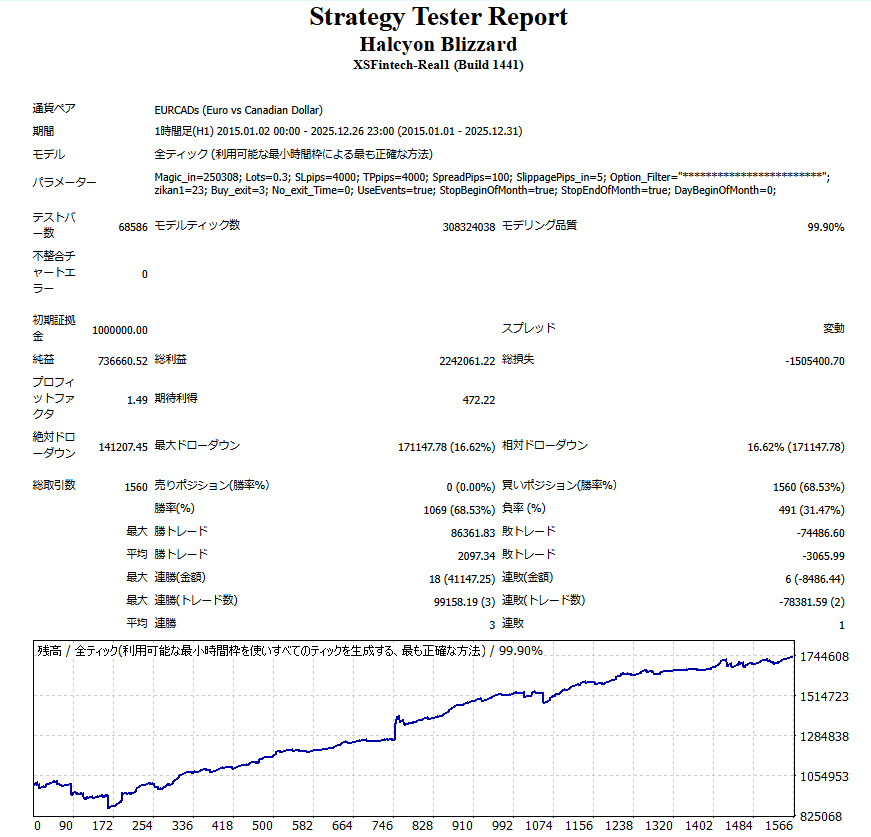
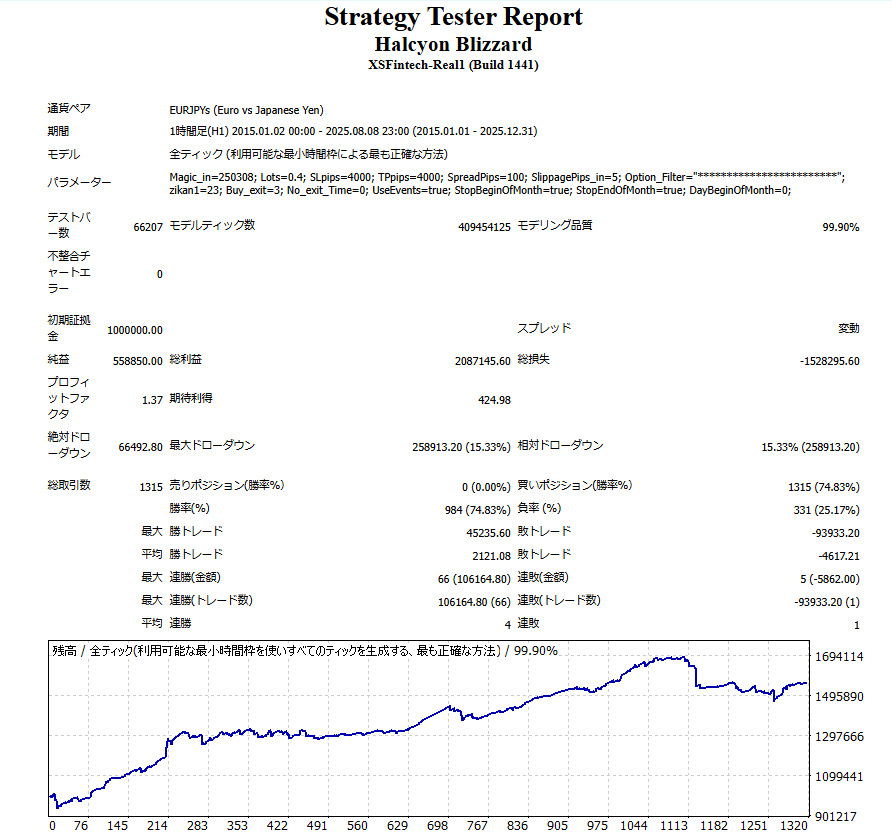
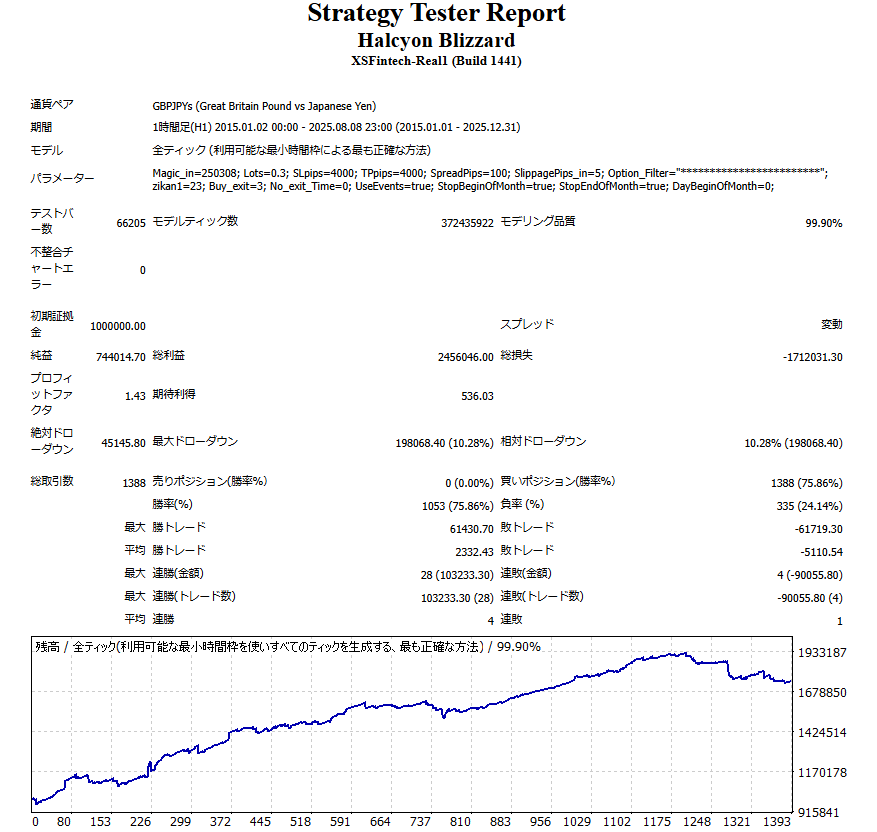
Real account performance results
XS real account performance
RealTrade (01/07/2025 ∼)
Halcyon Blizzard XS- hiro FX youtuber name ‘s MT4

Halcyon Blizzard の詳細動画について

今皆さんへ公開していますのはXSですが、XS, Axi, HFMのMT4もしくはMT5で利用可能です!
また利率339%を達成した際は各通貨2ロットで運用してます!ご参考に!
[Halcyon Blizzard] パラメータ説明
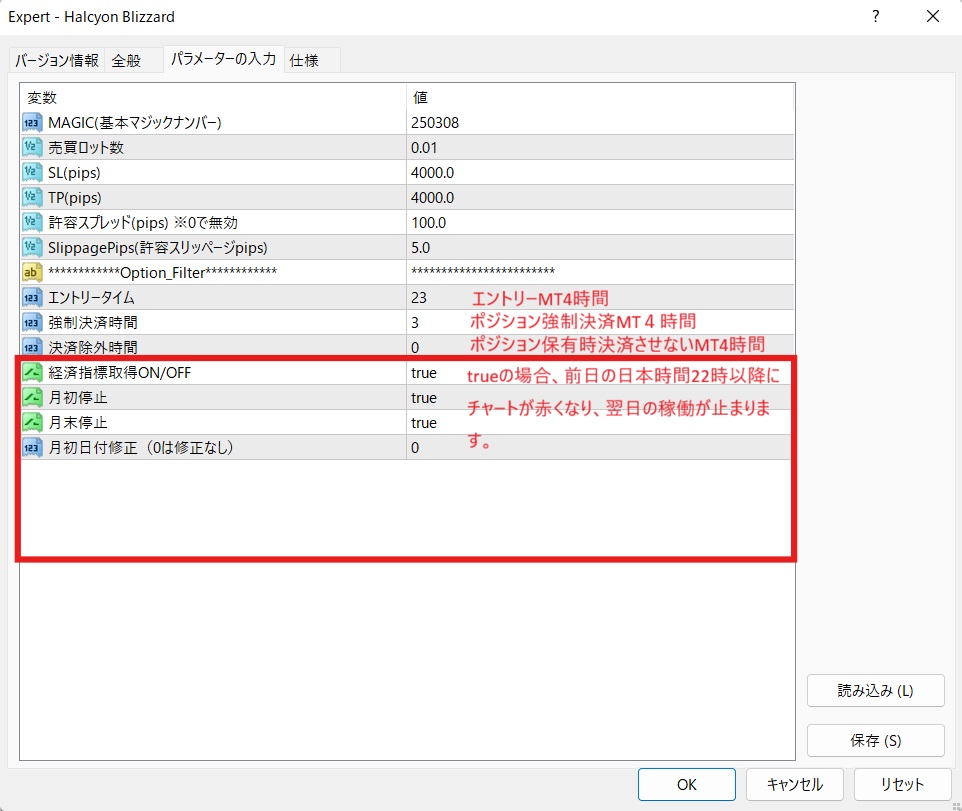
上記がパラメータ説明になりますが、原則完全放置でデフォルトのパラメータで特に変更無く、大丈夫です。
ロットだけお好みのロットで変更お願いします。
[Halcyon Blizzard] IB-EA登録方法
・MT4 or MT5の両方で配布可能なので、お好きなプラットフォームで開設して下さい。
For XS
① https://my.xs.com/ja/links/go/4432
→新規口座開設の場合、共に上記のリンクより口座開設。
・Standard Account or Classic Account or Extra Account Choose one of the above.
→If you wish to open an additional account, please register a new account via the link above using an email address different from that of your existing account.
Note 1) If you wish to transfer funds, you will need to withdraw money from your existing account first, as you cannot transfer funds from an existing account to a new account.
Note 2) You cannot use a mobile phone number that has already been registered. There is no phone number authentication, so you can enter your home phone number or random numbers.
For HFM
① https://register.hfm.com/sv/jp/new-live-account/?refid=349969&acid=a6ko1zgc6w
Open a new account using the link above.
・プレミアムaccount or TOP-UP BONUSaccount Select.
→If you wish to open an additional account, please go to the link above.
In the "IB ID" field, enter "349969Please fill in the form and we will open an additional account.
For Axi
① https://www.axi.com/jp/live-account?promocode=4486146
Open a new account using the link above.
→If you are opening an additional account, please enter your reason in the "Reason" field.4486146Be sure to enter the information to open an additional account.
・MT4 Standard Account or MT5 Standard Account choice.
・Select Leverage 1000.
② https://page.line.me/751aarqg
→Register for the official LINE account via the link above.
・Account NumberDM me.
③After we check your account, if there are no problems,10万円以上入金do.
→推奨証拠金10万円に対し、
XAUUSD 0.05ロット
EURCAD 0.05ロット
CHFJPY 0.05ロット
GBPJPY 0.03ロット
EURJPY 0.03ロットIt will be.
↑これらは10万円でこれらの5通貨、そのロットを設置で問題ないという意味になります。
④下記のダウンロードリンクからEAをダウンロードし、The EA itself is in the Experts folder.fart,webauth4_hiro.ex4(MT5の場合は ex5)はLibrariesフォルダにペーストPlease do.
EAダウンロードリンク(ここをクリックしてダウンロードして下さい)
⑤「DLLの使用を許可する」Configure settings (first time only)
→ MT4 upper part"Tools" → "Options"→"Expert Advisors" →
"Allow use of DLLs"にチェックを入れます。(Web account authentication)
⑥EAをチャートへ設置して下さい!
How to install EA on MT5
動画ではウェブリクエストをお伝えしてますが、現在は不要です😌