

A disciplined GOLD trading strategy designed to capture pullbacks and controlled retracements. [wolf blizzard]

✔️ 3+ Years Live Track Record
✔️ 970%+ Total Growth
✔️ 46% Historical Max Drawdown
✔️ Structured Risk-Controlled Model
Available for copy trading on HFM.
What is copy trading?
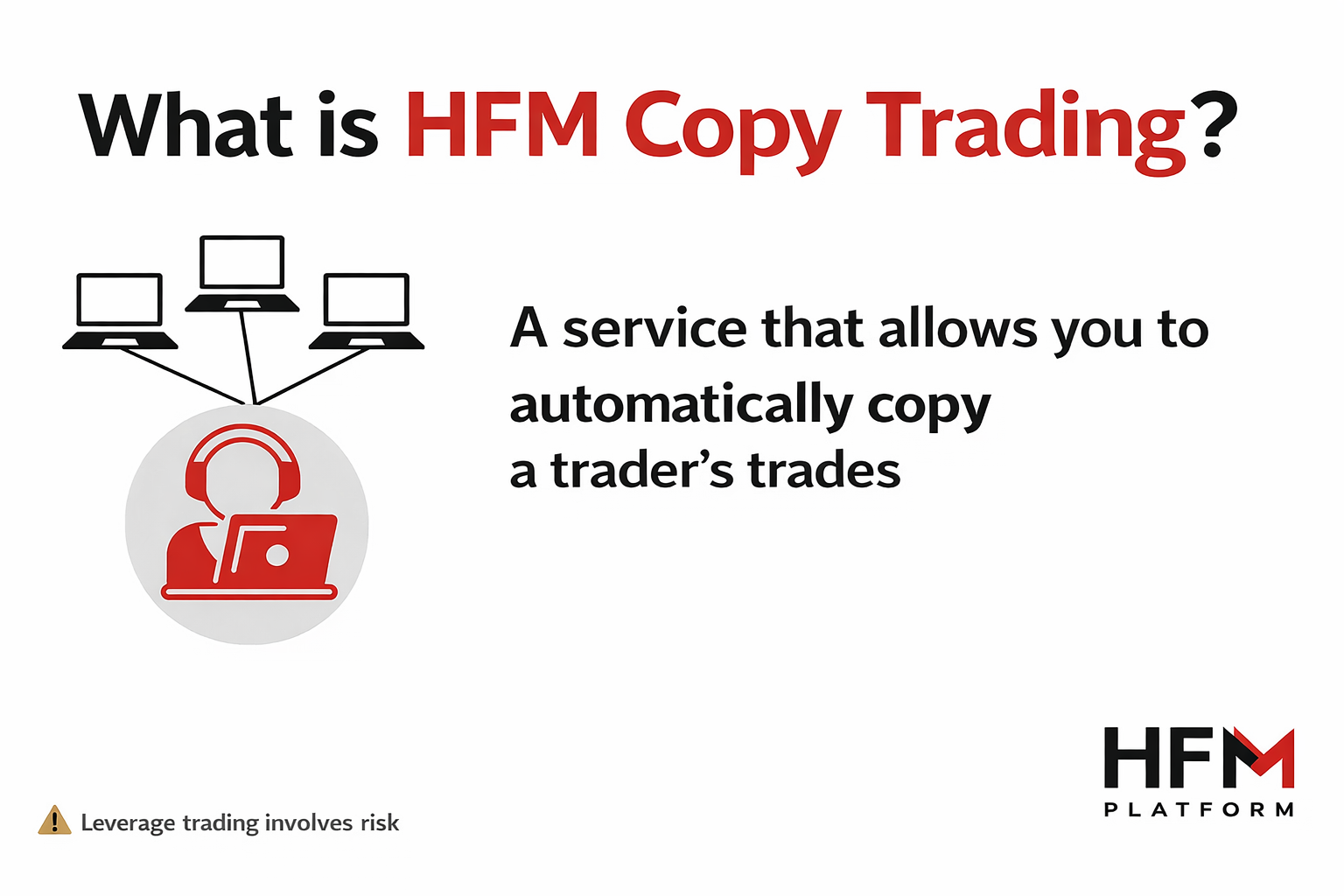
HFM Copy Trading is a service provided by HFM that allows investors to automatically copy the trades of experienced and high-performing traders.
It is one of HFM’s most popular services, designed for those who want to participate in the markets without actively trading themselves.
To start using HFM Copy Trading, you need to open a dedicated Copy Trading account, which is separate from regular trading accounts such as Premium or Bonus accounts.
If you would like to copy a trader, you must open a Follower Account.
On this page, we will explain in detail how to copy our EA strategy, wolf blizzard GOLD.
Backtest
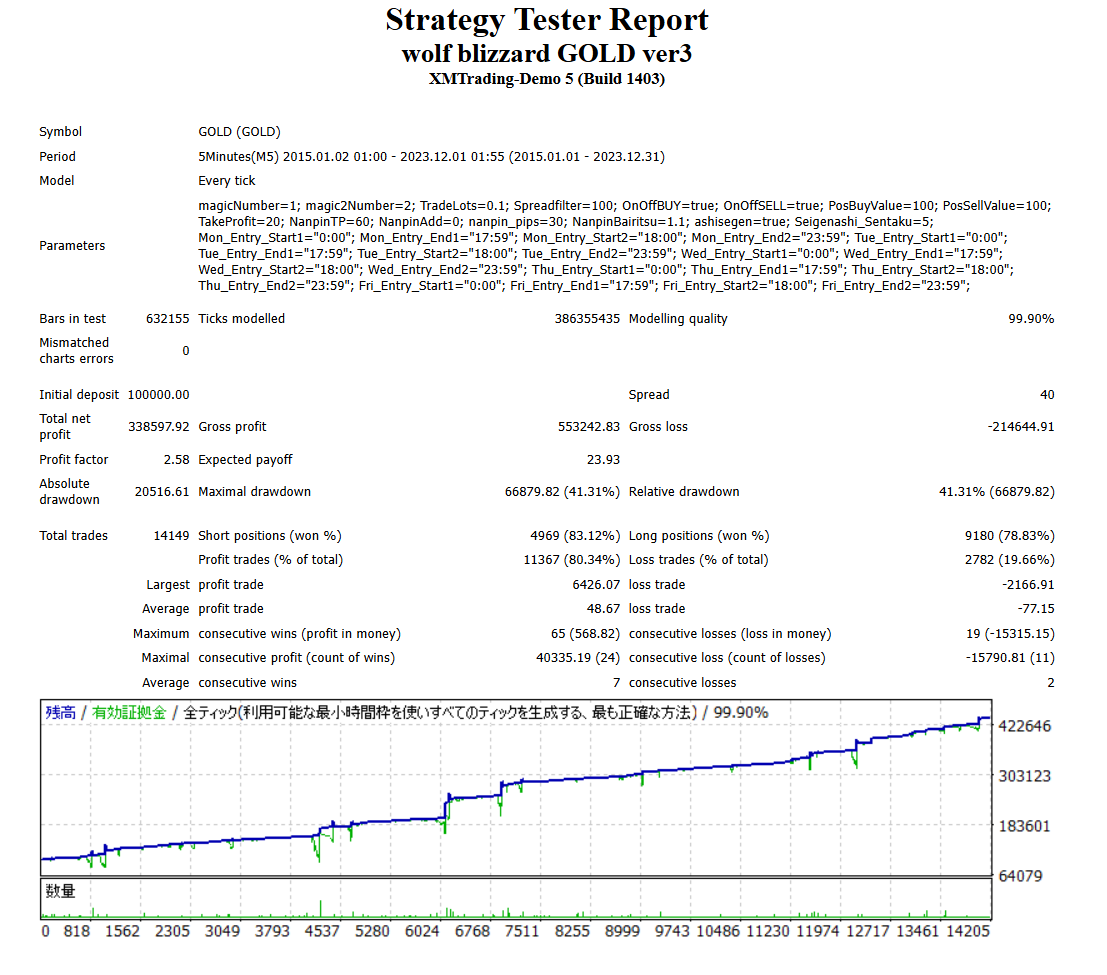
Real trading results
MY FX Book
wolf blizzard Gold | Myfxbook (2023/5/2~)
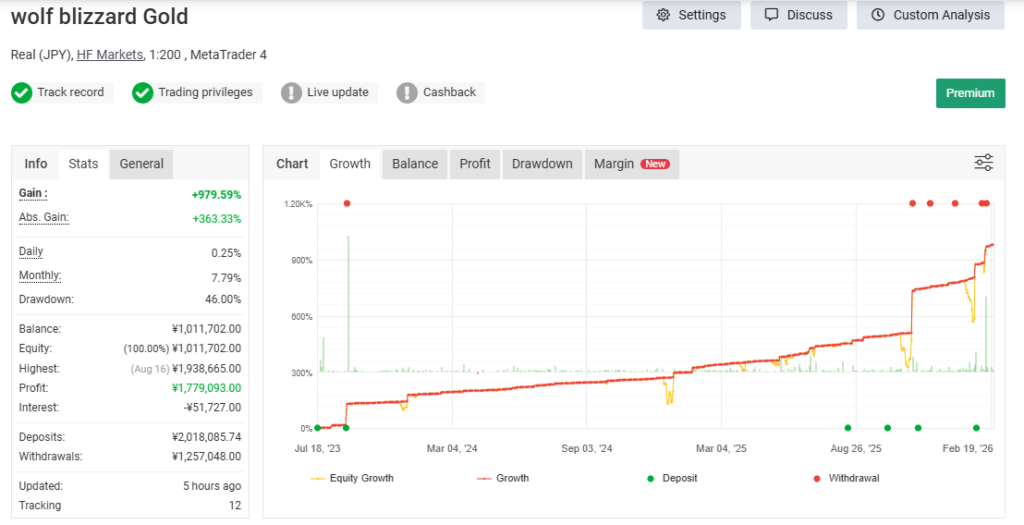
RealTrade (2023/5/2~)
wolf blizzard GOLD – hiro FX youtuber name's MT4

Wolf Blizzard GOLD explanatory video
How to follow copy trades
📌 How to Follow the Strategy on HFM
Step 0 – Open an HFM Account
If you do not have an HFM account, please register using the link below:
https://register.hfm.com/sv/jp/new-live-account/?refid=349969&acid=r1n4f0ni1q
Step 1 – Log in to your myHF dashboard
After opening your account, log in to the myHF client area.
Step 2 – Fund Your Account (Minimum Requirement)
Deposit at least JPY 50,000 (or equivalent amount) into your wallet.
⚠ To create a copy trading account, you must have a minimum balance in your wallet before activation.
Step 3 – Access “HF Copy”
Once logged into the myHF dashboard:
Tap “HF Copy”
Open the menu (bottom-left corner)
Or access it directly from below
https://my.hfm.com/en/copy-trading/provider-details?provider=66213656
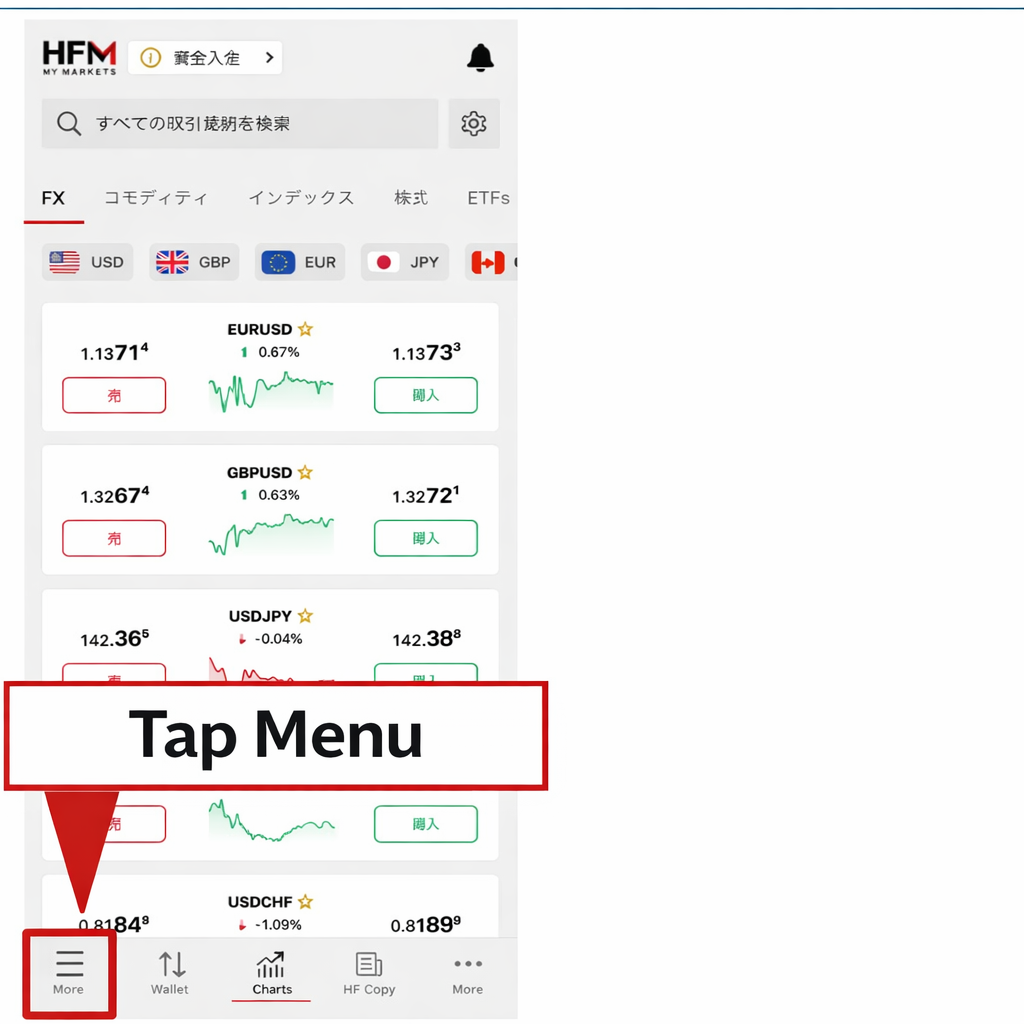
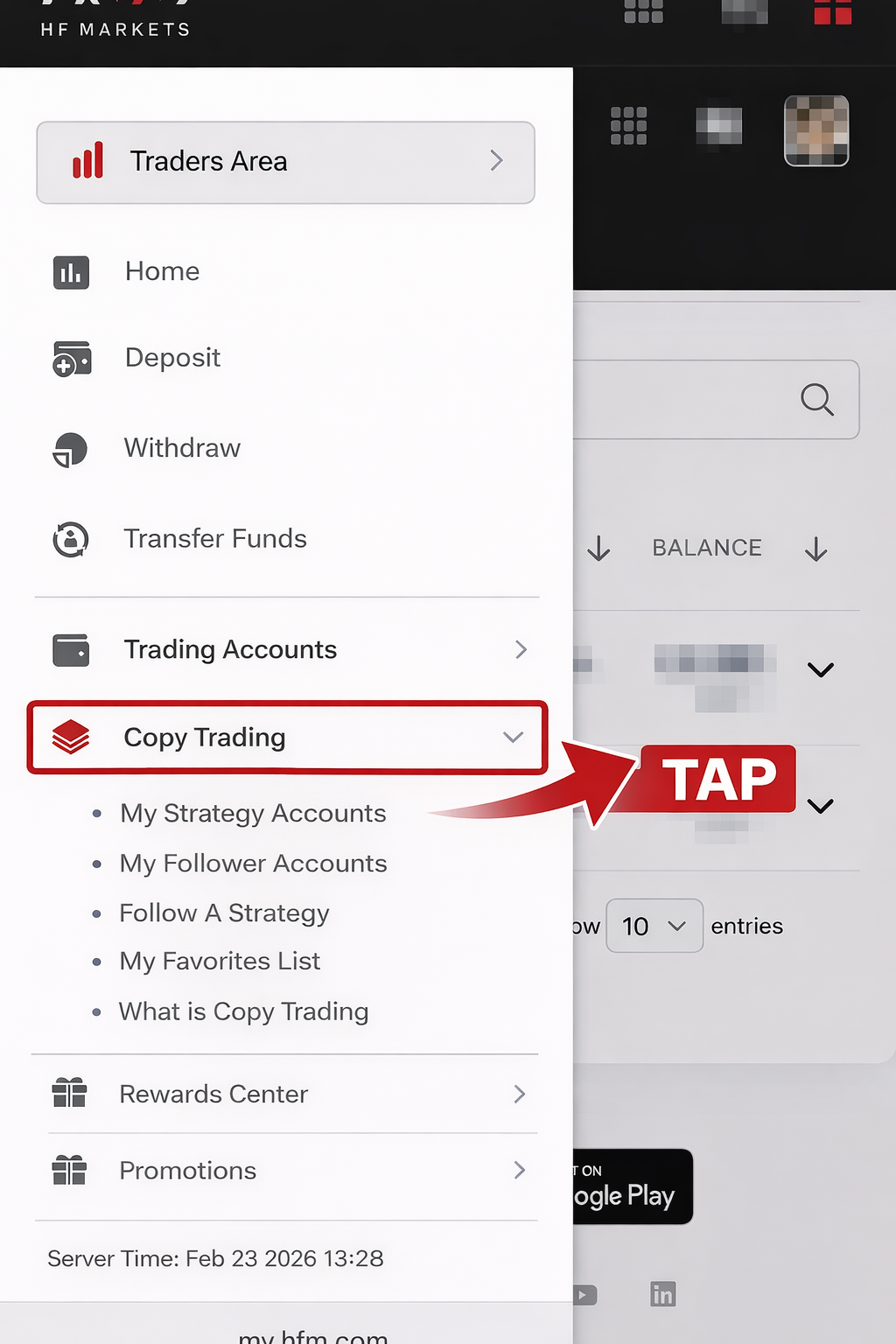
Step 4 – Tap “HF Copy” from the menu that appears.
Or access it directly from below
https://my.hfm.com/en/copy-trading/provider-details?provider=66213656
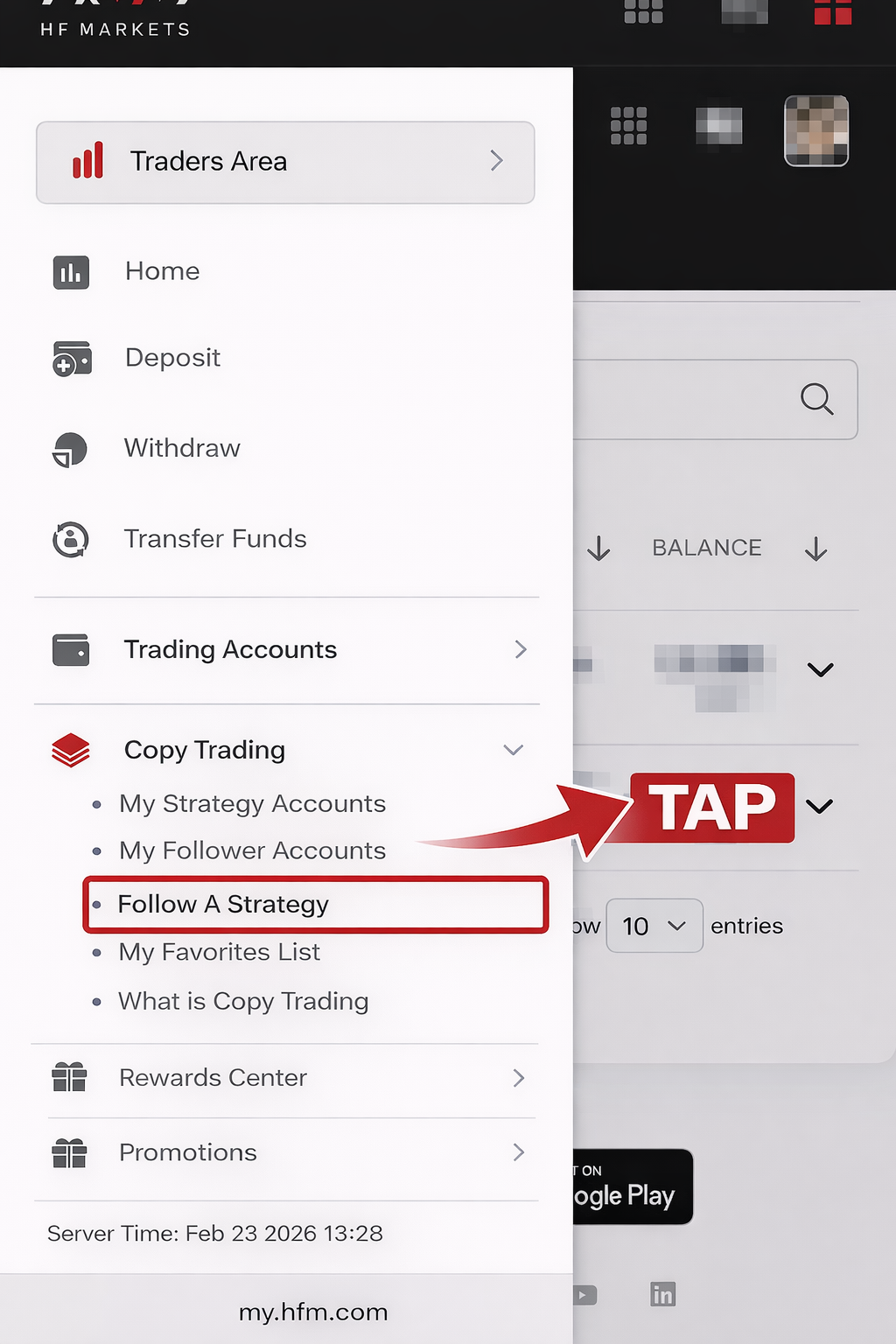
Step 5 – From the menu that appears, tap the third option from the top, “Follow A Strategy.”
Or access it directly from below
https://my.hfm.com/en/copy-trading/provider-details?provider=66213656
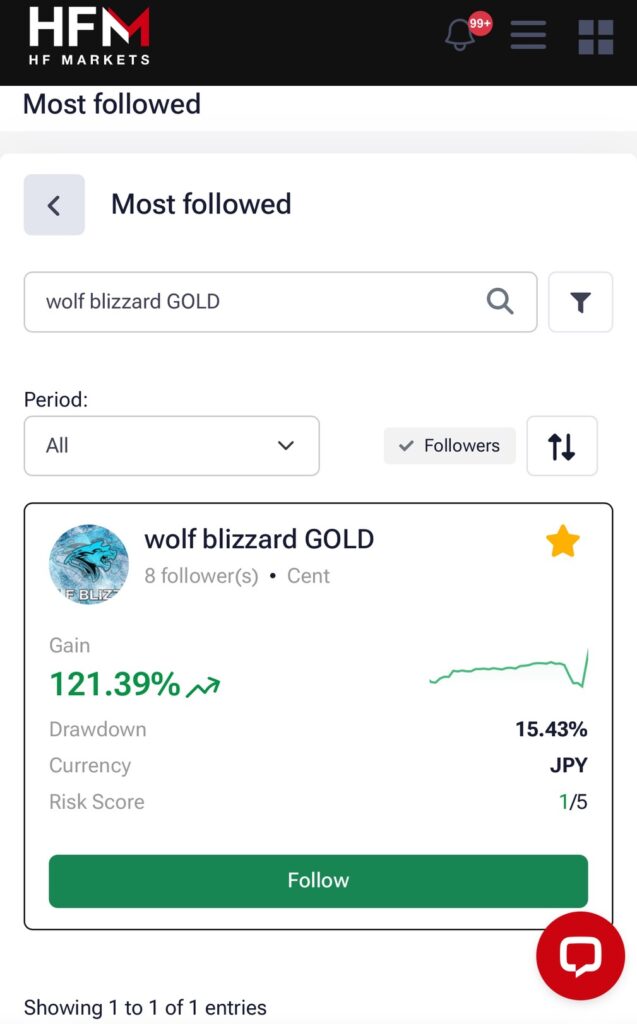
Step 6 – Search for Strategies
→ Search for PH wolf blizzard, follow, and click
Or access it directly from below
https://my.hfm.com/en/copy-trading/provider-details?provider=66213656
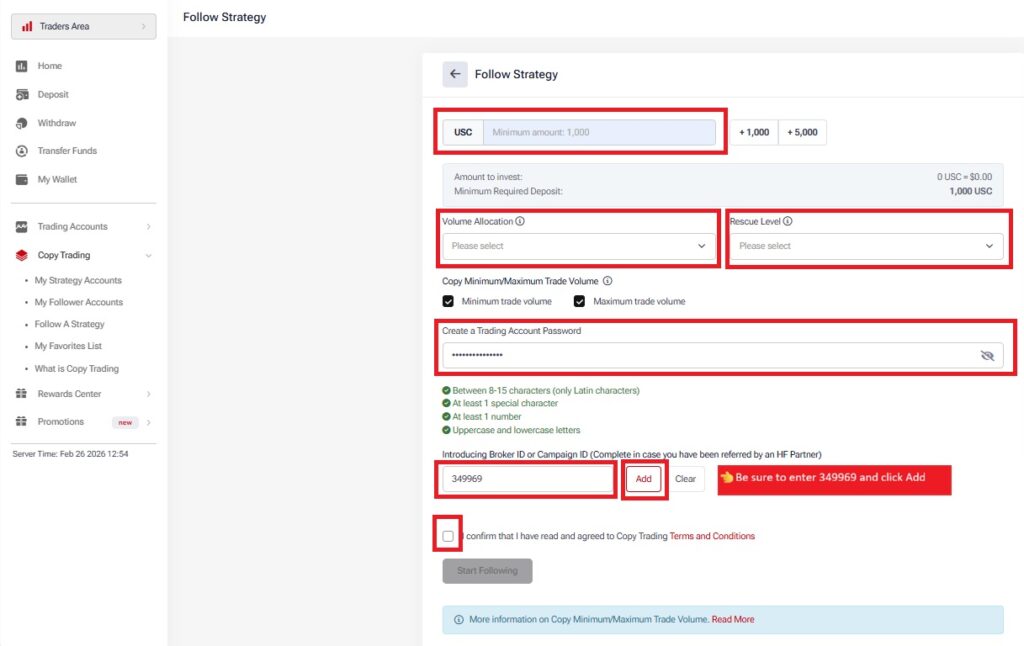
Step 7 – Open a copy account, set the deposit amount, and set the multiplier, etc.
Be sure to enter “349969“ in the “Introducing Broker ID” field, deposit 1000 USC or more, set your desired quantity allocation (if set to 100%, lots will be copied at the margin ratio), and set your desired rescue settings. Set your account password and check the checkbox to open your account.
After depositing the required amount, please follow us again. Once you have completed the follow-up, your account will be opened. When the trader makes a trade, the strategy will be activated and the trading results will be automatically reflected.